CSS Basics
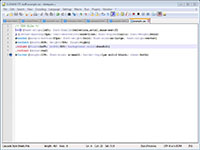
Above is a screenshot of the CSS stylesheet I made for my example HTML file to demonstrate how CSS works. While I had to make it too small to read, you can right-click the image to open up a larger version so that you can reference it.
Where HTML is about content, a CSS stylesheet designates the actual design of the page. The same stylesheet can be used for multiple pages of a site.
For the most part, CSS files are pretty straight-forward. Simply figure out what part of the HTML you want to style, and anything you put within the {} for a section will apply to that section. For instance, in the above example, text-align: left in the body section means that I want all text in the body of the site to align to the left unless otherwise indicated by a different tag.
IDs, which are indicated by tags in the HTML, can only be used once per page, but they can be used on multiple pages of the same site. When styling them in CSS, use a # as an indicator before whatever you tagged a particular ID. On the other hand, classes can be used several times on the same page. They are indicated in CSS by a dot (.).
CSS can be used to design everything on a site from font and text to positioning and borders. When setting the width and height of a particular container, it is best to use percentages rather than pixels, as the former will tell the page to adjust for browser and window size differences.
When it comes to indicating colors, whether for font or for the background of a container, you can either simply type the name of the color, particularly for basic ones like black, white, red etc., or you can use hexidecimal codes. Hexidecimal codes are six digits long and represent RGB colors with the first two digits indicating the amount of red in a particular color, the middle two indicating green and the last two indicating blue. The digits range from 0-F with #FFFFFF using the maximum amount of color (i.e. white) and #000000 using no color (i.e. black). If each pair is doubled you can shorten it to three digits. For example, #FF0000 for red can be shortened to #F00. To find the hexidecimal code for a color, you can look in Photoshop, which usually will tell you, or look up one of many online sites that can tell you.
Generally, you want to use fairly basic fonts. Helvetica, Arial and sans-serif are the most generic fonts, and because not all browsers have the same fonts, it helps to use all three. When fonts have names with spaces in them, like Times New Roman, put the name in quotes. When thinking about what fonts you want to use, consider the audience and purpose of your site as well as other possible associations a particular font might have. For example, a more cartoon-y font like comic sans will likely make site visitors think of children or something goofy, which isn't the reaction you're probably looking for if you're designing a site for your company.
Floated elements are pushed as far right or left as possible, allowing other elements to wrap around them if necessary. In my example, I floated the columns to the left, and then, I told the footer to clear "both", meaning it should go beneath both columns.
You can get more information about what specific CSS tags you can use at this site that I've found useful.
If you want to see how CSS translates to an actual webpage, here is what my example above looks like with the HTML and CSS combined.
